Windows:
Download WinMTR.
https://github.com/WinMTR/WinMTR-Official/releases/download/v0.92/WinMTR-v092.zip
As shown in the image below, enter the faulty IP address (if it's a local server, it should be the local <==> server) and click Start.
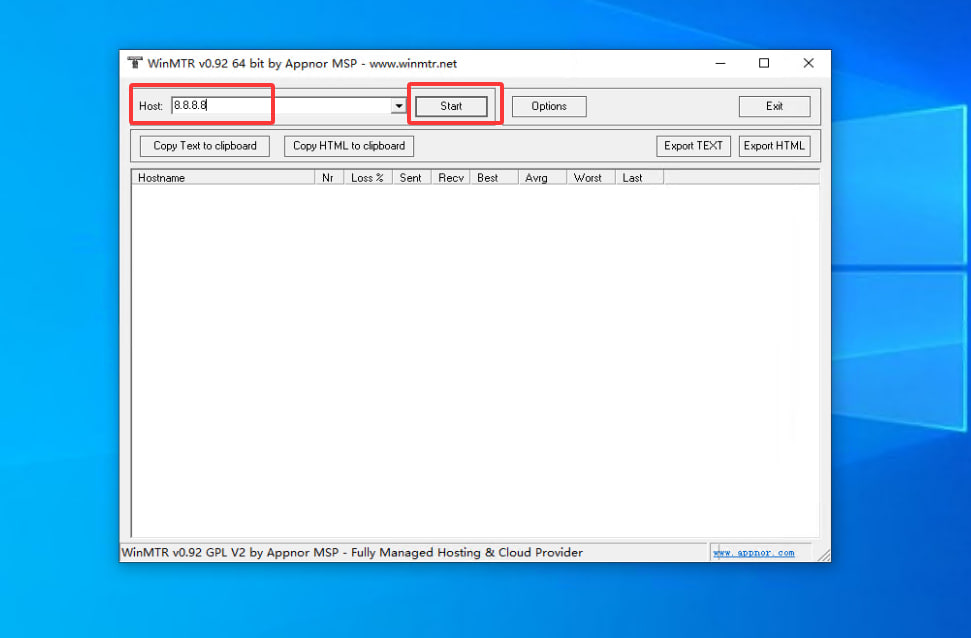
Upload a screenshot of the results to us for analysis.

--------------------------------------------------------------------------------------------------------------------------------------------------------------------------
Linux:
Install tools using `yum install -y mtr` or `apt install -y mtr`.
As shown in the image below, enter the faulty IP address (if it's a local server, it should be the local <==> server) and click Start.
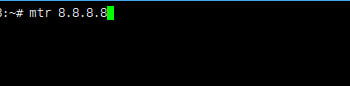
Upload a screenshot of the results to us for analysis.
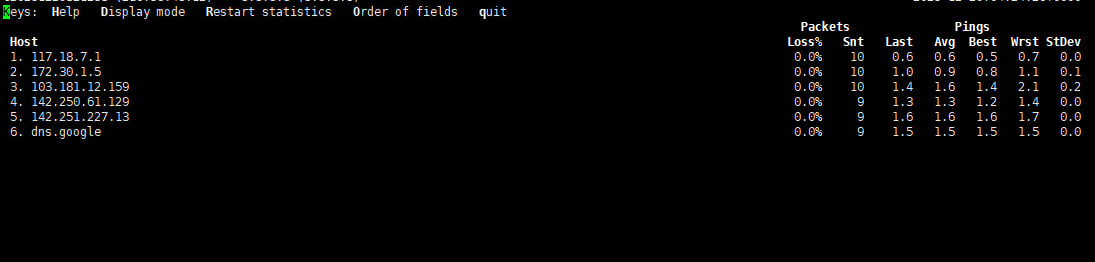
Tips:
Please provide bidirectional routing data (server <=> destination) whenever possible, and provide high-quality fault data so that we can analyze individual issues more quickly.
Please provide detailed information regarding the problem:
1. Server IP information.
2. From which network are you connecting to the server? (e.g., slow connection from the US, slow connection from Beijing, China Unicom, please include MTR data.)